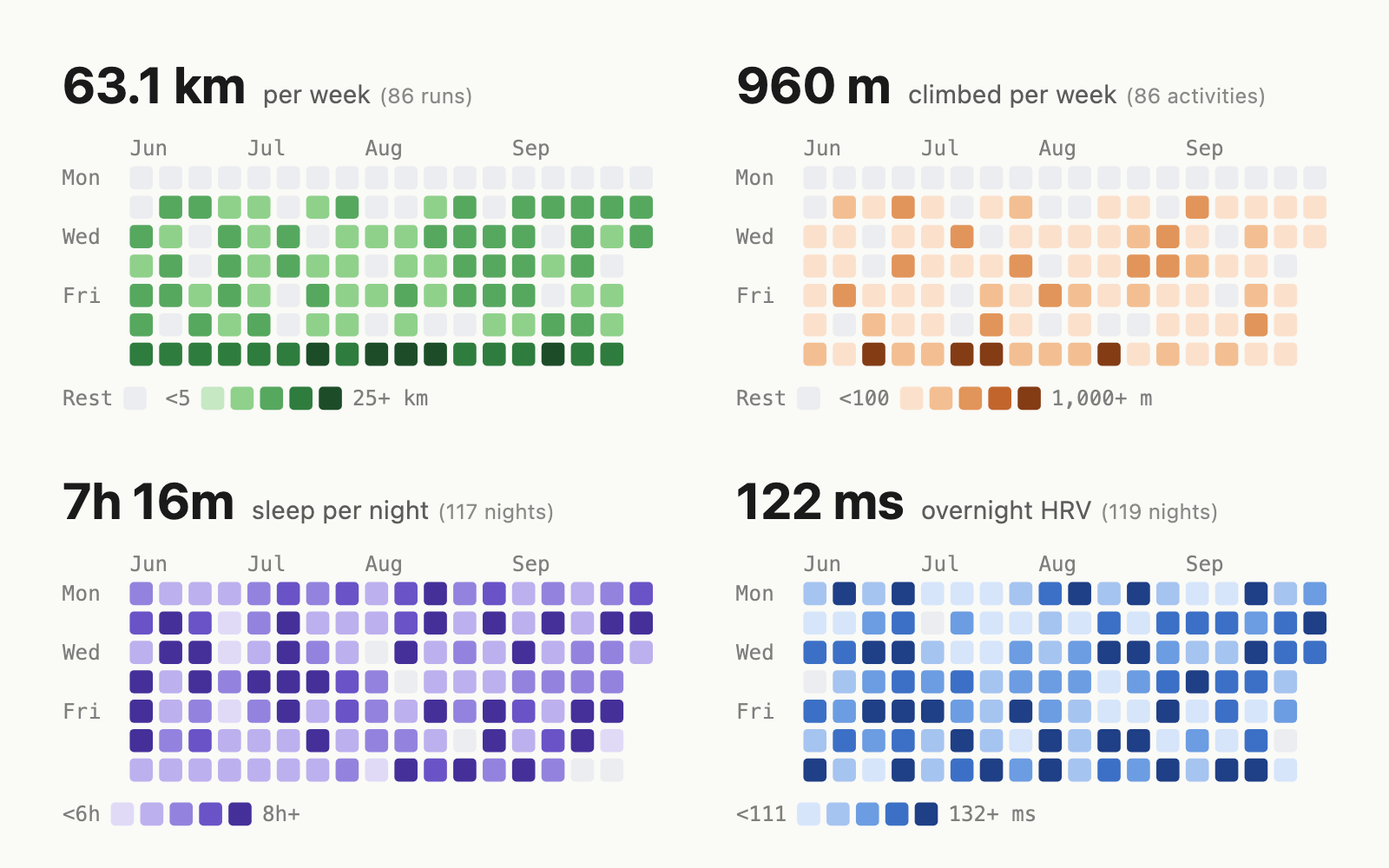
Each square is a day, and the stronger the colour, the bigger the day: further run, more climbed, longer slept, higher overnight HRV. Every grid has a headline number for the period and a legend, and every square has a tooltip with its date and value.
How it works
- In October 2026 Garmin opened a Personal API: any Garmin Connect user can create a key and pull their own data.
- Once a day, the workflow that deploys this site fetches my last year of activities, adds them up per day and draws each grid as an SVG, ready to include in any page as it is, with no JavaScript and no data file behind it.
- It only fetches what the site’s grids need. Sleep and overnight HRV grids are supported but switched off, so that data stays in Garmin.
- The API key lives in a GitHub secret that only one step of the deploy can read. If Garmin is down or the key expires, the site deploys with the previous day’s grids.
Use it on your own site
The library has no dependencies. Clone it, list the grids you want in a small config file and run node bin/garmin-heatmap.js build in your site’s build, or drop the <garmin-heatmap> web component into any page. Metrics include distance, elevation, training time, sleep, sleep score, overnight HRV and steps, in kilometres or miles. The README covers setup and how to keep the key safe.
I wrote up how it came together in Turning my Garmin data into GitHub-style heatmaps.