Garmin opened a Personal API this month. Until now the Connect developer program only took companies, so getting your own data out meant exports or unofficial libraries. Now any Garmin Connect user can create a key in their settings and pull their own activities, sleep, HRV and more.
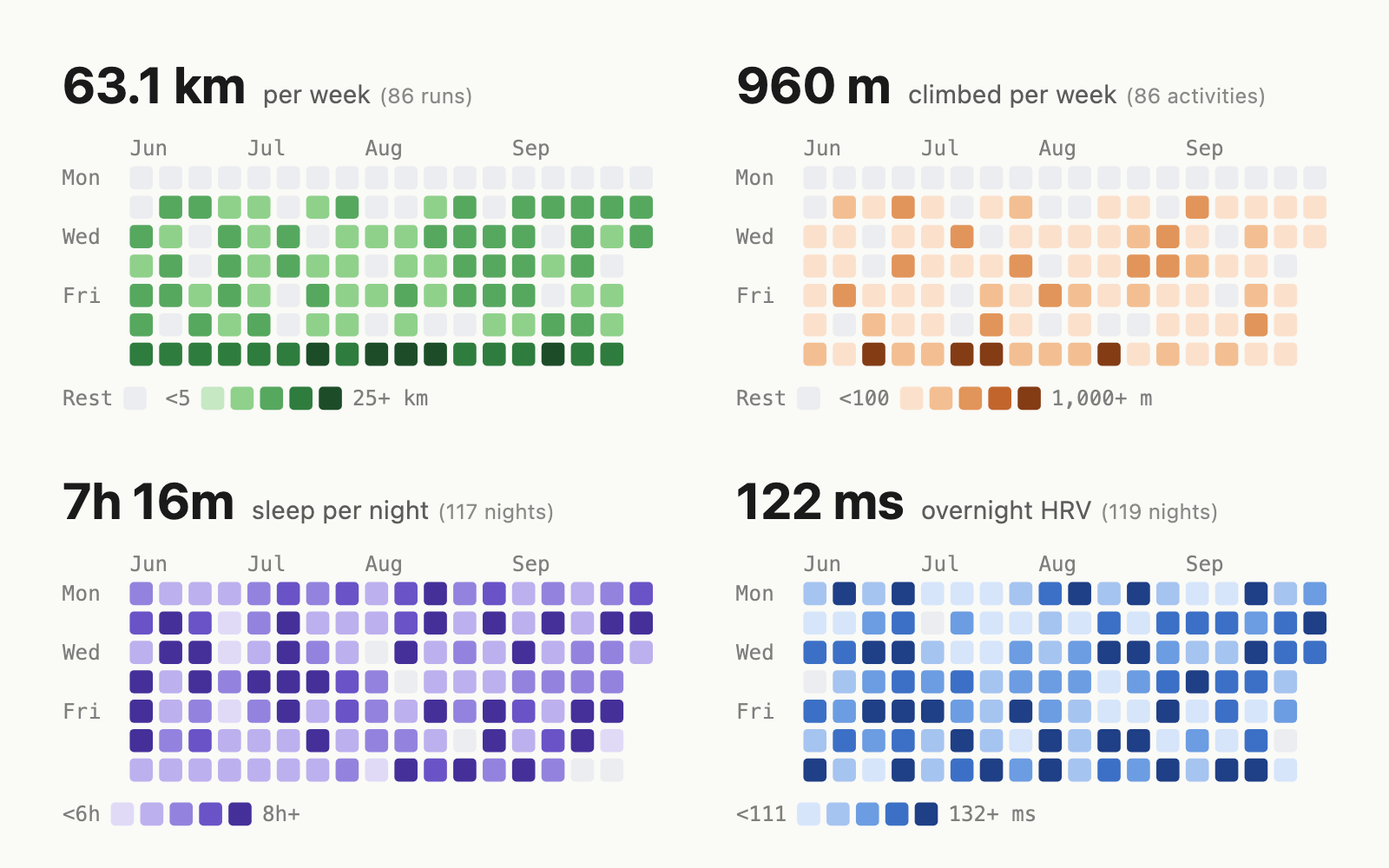
The same week, a post went around showing a whole summer of runs, climbing, sleep and HRV as GitHub contribution grids. I wanted that on this site, so I built it in an evening with Claude Code. It now lives in Projects, and the code is on GitHub.
Finding the endpoints
Garmin’s documentation gives you the key page and a curl command that swaps the key for a 24-hour token. The endpoint list is a Swagger page that only renders in the browser, but the full OpenAPI spec turned out to be embedded in the page’s JavaScript, so the agent extracted it and read it. Everything I needed was there: activity search, daily sleep summaries (31 days per request), daily HRV, and daily summaries with steps (a year per request).
Two halves
A static site can’t call Garmin from the reader’s browser without handing the key to every visitor. So the library has two halves:
- A fetcher that runs in CI with the key, and reduces everything to one small record per day: distance, time and elevation per activity type, sleep, HRV, steps. No activity names, no GPS, no start times.
- A renderer that turns those days into an SVG grid. The same code runs in Node at build time or in the browser as a
<garmin-heatmap>web component.
This site uses the build-time path. Every day, the deploy workflow fetches my data, renders the SVGs and inlines them into the home page, with no JavaScript and no data file behind them. Inlined, the grids pick up the site’s fonts, and their colours follow the theme and dark mode.
Time and intensity over distance
The home page shows three grids, in this order: training time across every sport, hard minutes (time in heart-rate zones 4 and 5), and running distance. The order reflects what I value: duration and intensity much more than distance.
I train on the idea that time on feet at low intensity compounds into the best aerobic engine. Hours of easy work, done consistently for months and years, compound: they reduce the risk of injury while steadily increasing aerobic capacity. So training time comes first, whatever the sport.
Hard minutes come second. I try to keep a balance of intensity, with hard work as a small, deliberate share of the week, and this grid simply shows how that balance turned out.
Distance comes last. It depends on pace, terrain and which sport I did that day, and it says the least about my training. It’s there because it’s the number runners ask about.
None of this is a training tool. The grids show the result, after the fact; I built them because I wanted to see a year of training at a glance.
Treating the key like a password
The personal key can read everything in my Garmin account, including health, sleep and weight data, not just what a grid shows. Both repositories are public, so I set a few rules before writing the workflow:
- The key is a secret of a GitHub environment that only
mastercan use, and only the one step that fetches can read it. The job that builds the site also runs code from theme branches, so it never sees the key, only the finished SVGs. - The code that sees the key is pinned to a commit I reviewed, and has no dependencies, so that commit is all of it.
- The site fetches only what it shows. Sleep and HRV grids are built and ready but switched off, so that data stays in Garmin until I decide otherwise.
- If Garmin is down or the key expires, the site deploys with yesterday’s grids and a warning, instead of failing.
What production taught me
The tests passed, CI was green, and the first real deploy still shipped without heatmaps. Twice.
First, npx crashed inside npm while installing the library straight from GitHub (“GitFetcher requires an Arborist constructor”). With no dependencies there was nothing to install, so the workflow now checks out the pinned commit and runs it with node. One less moving part, and one less thing that runs with the key.
Then Garmin answered the token request with 406 Not Acceptable. My client asked for a JSON reply; Garmin’s own example asks for nothing in particular. Dropping that one header fixed it.
Neither failure could show up in the tests, because the fake API in them agreed with my assumptions. What made them harmless was the fallback: both times the site deployed normally, and the warning told me where to look. When you build against an API you can’t run locally, build the fallback first and get to the real thing early.
What’s next
Sleep and HRV are one line of config away. Before I switch them on, I want to decide how much of my recovery I’m comfortable publishing. If you want grids for your own site, the README has the setup.